Registration
Create a new RU4M Backoffice account to start organizing and managing professional networking events.
Prerequisites
- A valid email address
- Or an existing Google, Apple, or LinkedIn account
How to Register
1. Open the Registration Page
From the login page, click Sign Up to open the registration form.
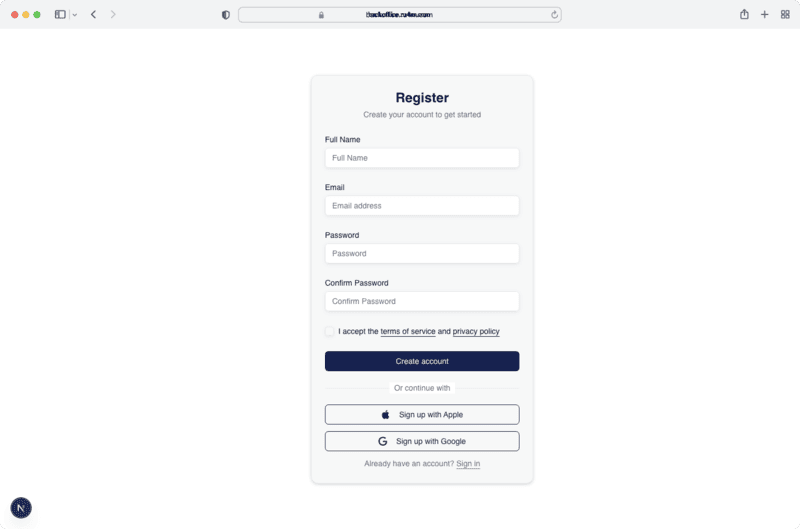
2. Fill In Your Details
Enter the required information:
- Full name -- Your display name on the platform
- Email address -- Used for login and notifications
- Password -- Must meet minimum security requirements
3. Social Registration
Alternatively, click Google, Apple, or LinkedIn to create an account using an existing social provider. Your name and email will be imported automatically.
4. Confirm Your Account
After registering, check your email for a verification link. Click it to activate your account.
Social accounts are verified automatically
If you register via Google, Apple, or LinkedIn, your email is verified automatically and you can start using the platform immediately.
Next Steps
- Log in to your new account
- Browse events and join one
- Create your first event