Participants
View and manage all attendees registered for your event. Track registrations, check-ins, and participant details.
Prerequisites
- An active event with registered participants
Accessing Participants
From your event dashboard, click Participants in the sidebar navigation.
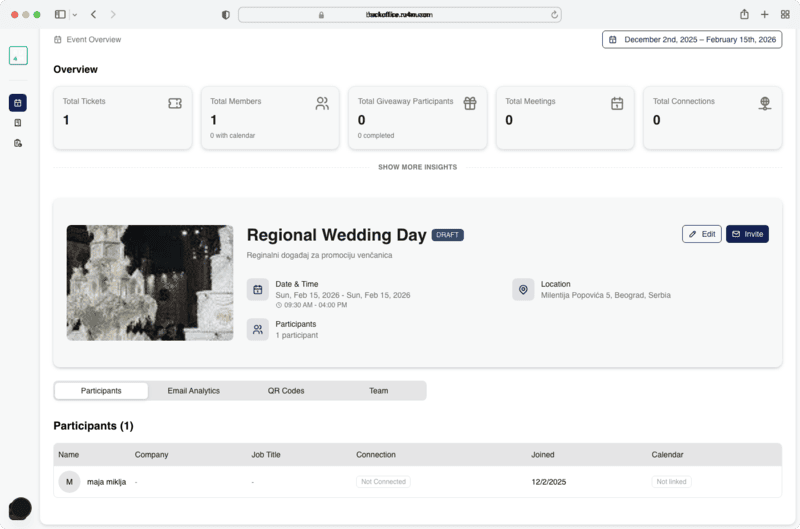
Participant List
The participants table displays:
| Column | Description |
|---|---|
| Name | Participant's full name |
| Contact email address | |
| Registration Date | When they signed up |
| Status | Registered, Checked-in, or Cancelled |
| Ticket Type | Free or paid ticket tier |
Managing Participants
Search and Filter
Use the search bar to find specific participants by name or email. Filter by status to see only checked-in or pending attendees.
Export Data
Export the participant list as a CSV file for use in external tools or reporting.
Real-time updates
The participant list updates in real-time as new attendees register or check in at the event.
Bulk actions
Select multiple participants using the checkboxes to perform bulk actions like sending notifications or updating status.
Next Steps
- View analytics for engagement insights
- Generate QR codes for check-in